
Do you wish to learn sketching at your own pace comfortably online?

Do you wish to learn sketching at your own pace comfortably online?

introducing

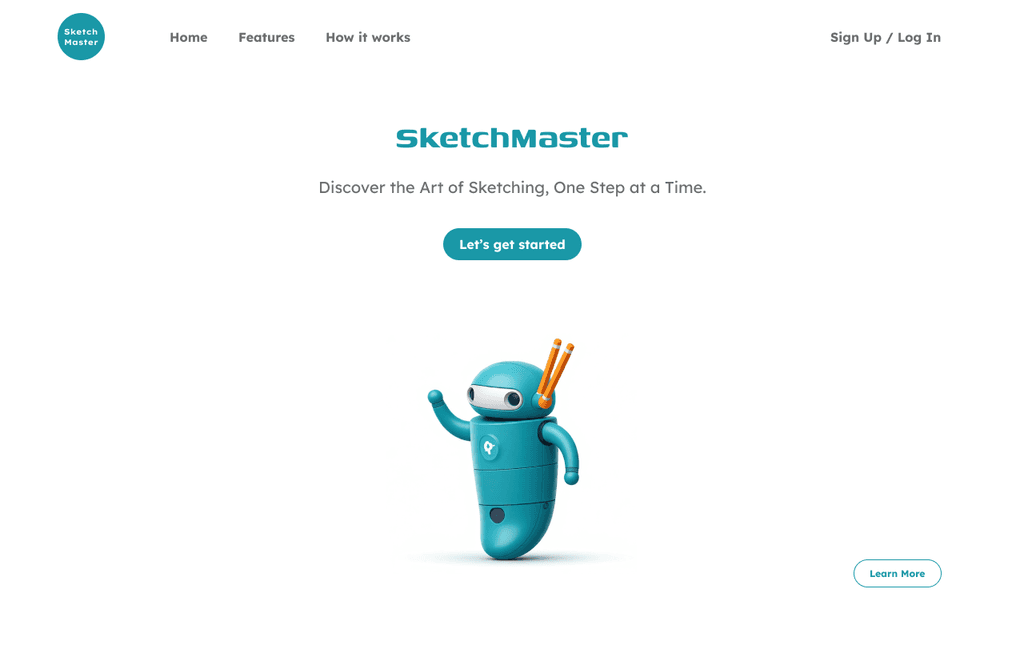
Sketchmaster

a conversational AI chatbot designed to help you learn sketching easily

a conversational AI chatbot designed to help you learn sketching easily

Try it out yourself!

Try it out yourself!

You can type in your inputs or select the options

You can type in your inputs or select the options

Problem Statement

Beginners feel overwhelmed by lengthy video tutorials and static guides. They need bite-sized, interactive lessons with real-time feedback to build confidence and maintain motivation.
How Might We make learning sketching approachable, interactive, and tailored to each user’s skill level through a conversational interface?

How Might We make learning sketching approachable, interactive, and tailored to each user’s skill level through a conversational interface?

Overview

Purpose

To provide an intuitive, self-paced sketching learning platform accessible anytime, anywhere.

The Challenge

  • Beginners often lack access to convenient, structured sketching tutorials.

  • Traditional art classes are time-constrained and often inaccessible for busy learners.


The Need

A self-paced, adaptive solution tailored to various skill levels.

The Solution

SketchMaster offers learners interactive, step-by-step sketching lessons with personalized feedback and progress tracking, empowering users to improve at their own pace.

Target Audience

  • Aspiring artists aged 15 to 30

  • Students in creative disciplines such as graphic design or animation

  • Hobbyists seeking flexible, on-demand sketching guidance

Persona

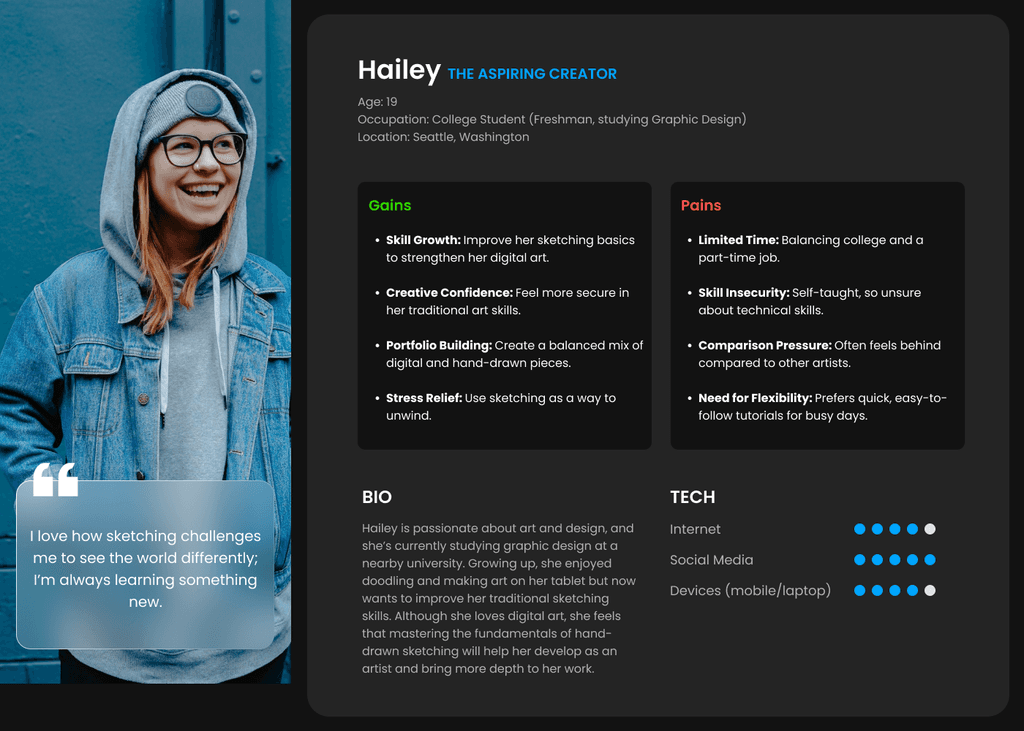
Persona

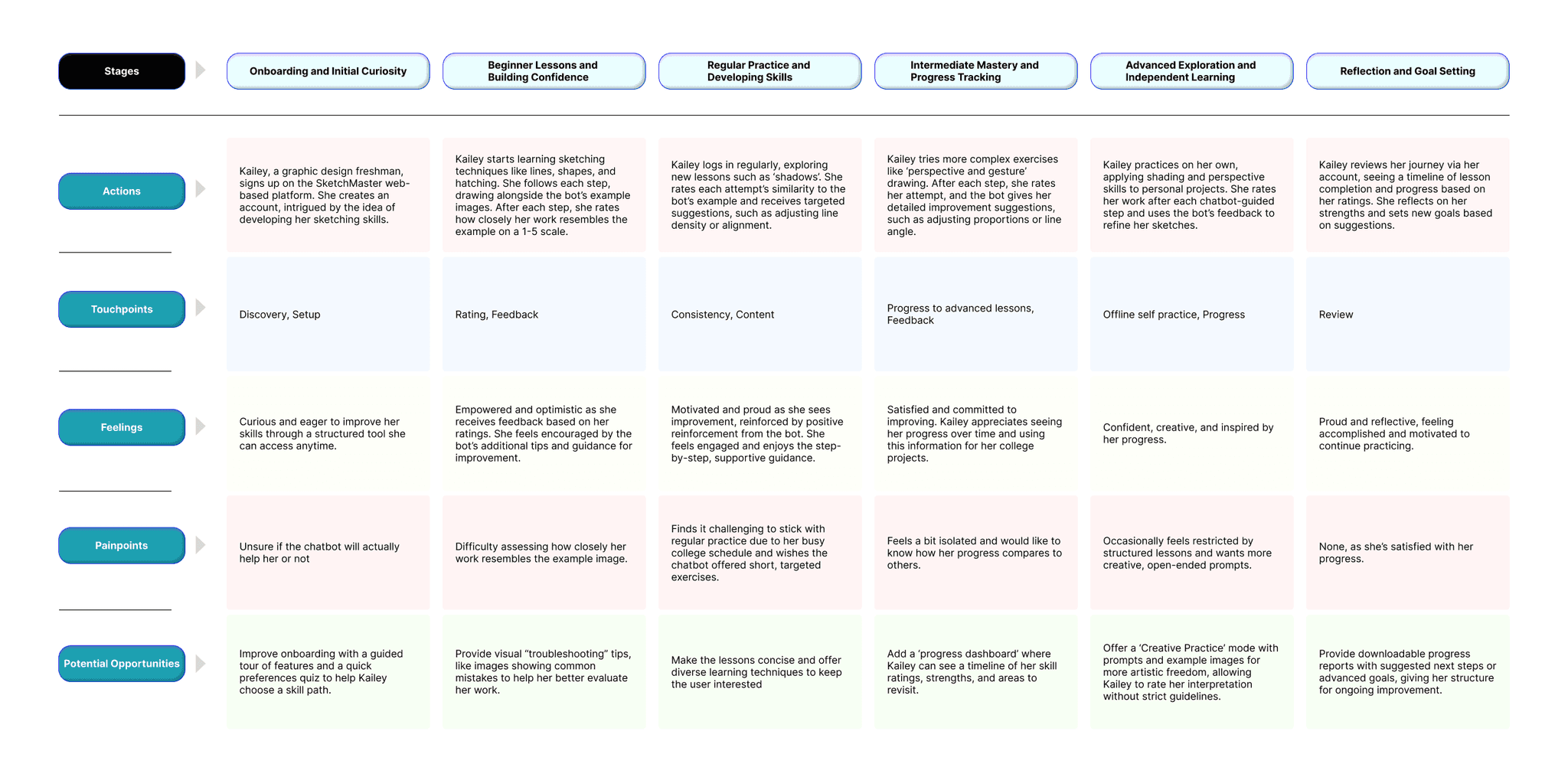
User Journey Map

Success Metrics

Success Metrics

≥ 80 % lesson completion rate

≥ 80 % lesson completion rate

Average user satisfaction ≥ 4.5 / 5

Average user satisfaction ≥ 4.5 / 5

≥ 70 % of users return for a second lesson within 48 hours

≥ 70 % of users return for a second lesson within 48 hours

Key Features

Key Features

Conversational Interface

Conversational Interface

Guided by friendly, text-based prompts, users learn through a natural, chat-like experience that feels intuitive and personal.

Visual Learning

Visual Learning

Each lesson step includes reference images to help users understand techniques and compare their progress visually.

Self-Paced Structure

Self-Paced Structure

No deadlines or pressure—users can learn anytime, revisit lessons, and move at their own pace.

Progress Tracking

Users earn badges and receive feedback based on their self-assessed progress, encouraging continued improvement.

Anytime Accessibility

Anytime Accessibility

Accessible on any device via the web, making it easy to practice from anywhere, anytime.

Usability Testing

Usability Testing

To validate the experience, I conducted moderated usability tests with 3 participants aged 18 to 28, all beginners in sketching. Each participant explored the chatbot for 15–20 minutes and completed at least one flow from each section: Basics, Shading, and Drawing.


To validate the experience, I conducted moderated usability tests with 3 participants aged 18 to 28, all beginners in sketching. Each participant explored the chatbot for 15–20 minutes and completed at least one flow from each section: Basics, Shading, and Drawing.


5/5

Average Overall Satisfaction Score

100%

Task Completion Rate
  • “It didn’t feel like just another tutorial. When I rated myself low, the chatbot actually gave me advice that made my next attempt better. It felt like someone was there helping me, not just instructions on a screen.”

    - Divith, 24 (Architecture student)

  • “Typing ‘tiger’ and jumping straight into that lesson was so cool. I didn’t have to go looking through a bunch of menus. It felt easy, like the bot actually got what I wanted.”

    - Shivam, 26 (Beginner artist)

  • “The little steps with pictures made everything less overwhelming. I’ve always struggled with shading, but this broke it down in a way that made me feel like, ‘okay, I can do this.’ It was surprisingly motivating.”

    - Tanvi, 20 (Undergrad student)

Platform UI

Design Process

Design Process

01

Structuring the Experience

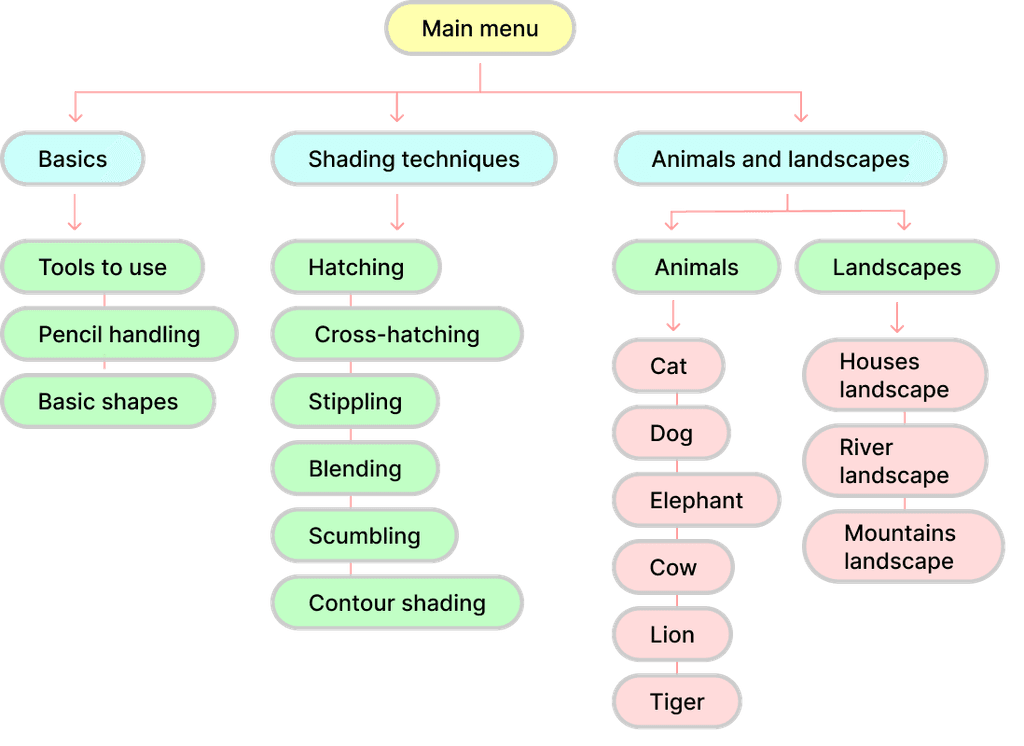
To define the content architecture, I created a sitemap outlining the core sections:
Learn Basics, Shading Techniques, and Drawing Animals & Landscapes. This helped establish a clear hierarchy and intuitive learning flow.
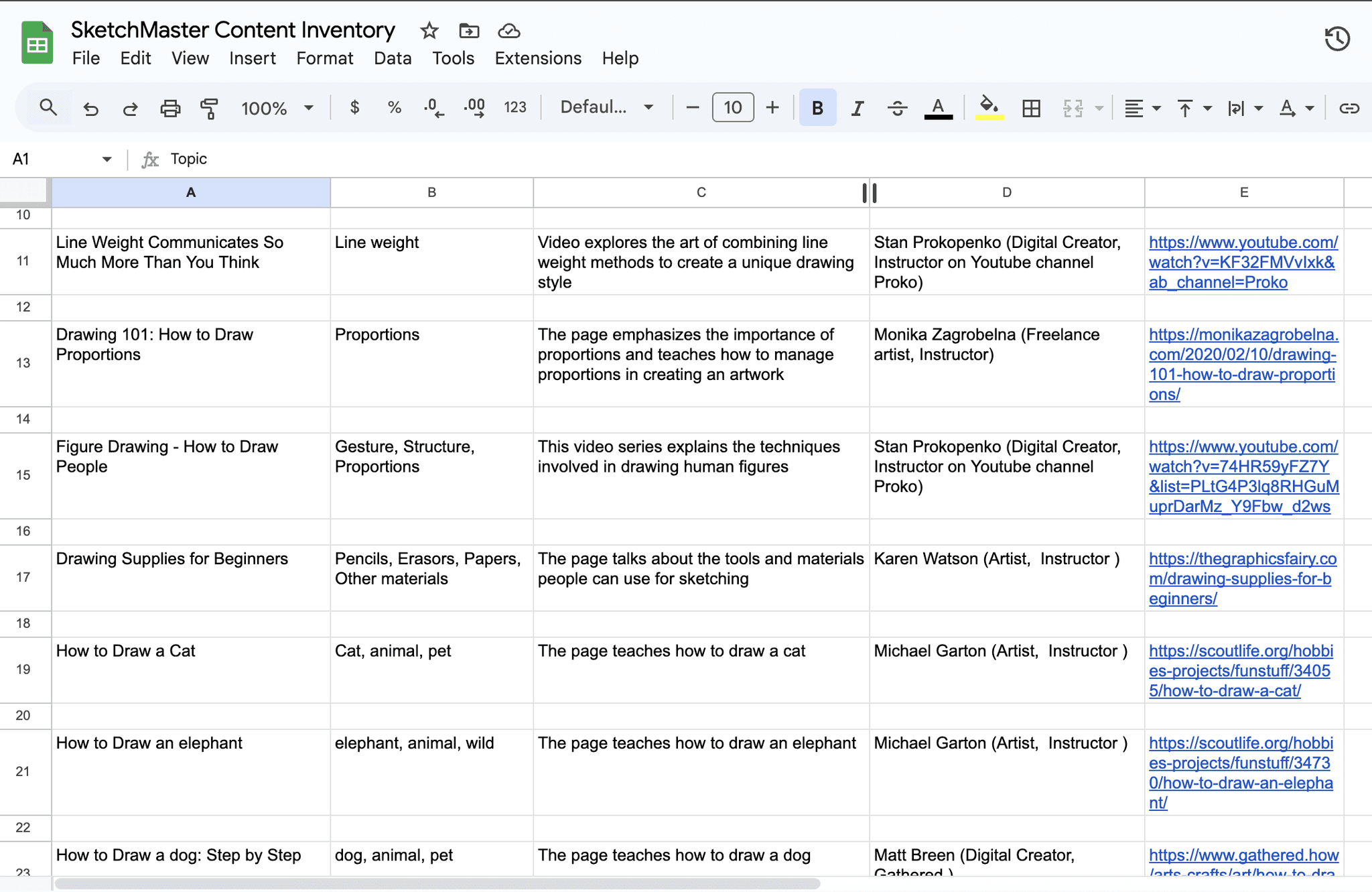
I developed a detailed Content Inventory Sheet
📄 View Sheet
Each lesson entry includes:

  • Topic name & category

  • Step count & reference images

  • Associated badge

  • Interaction method (feedback prompts, ratings, API calls)
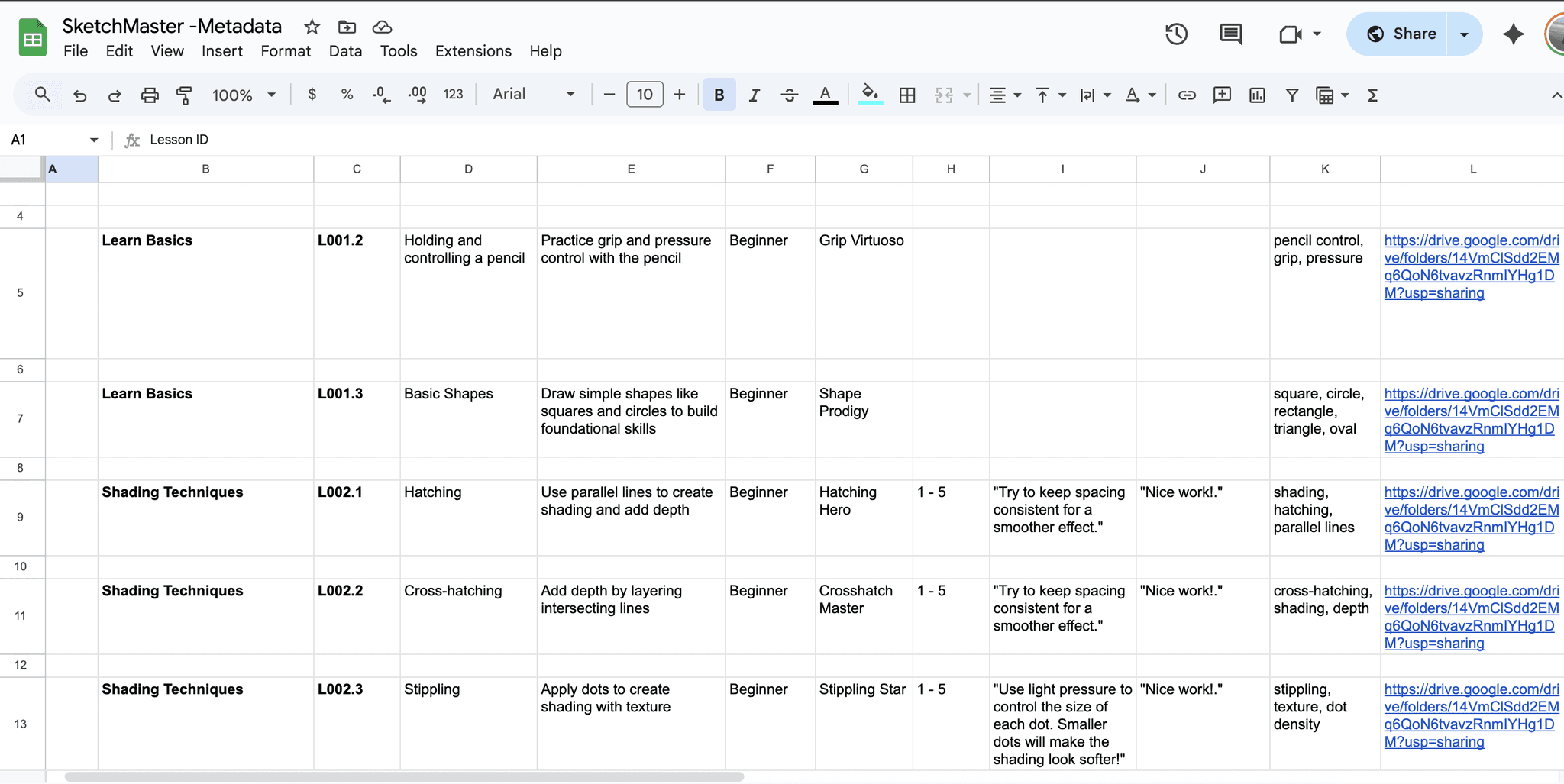
A comprehensive Metadata Sheet was created to streamline logic in Voiceflow.
📄 View Sheet
It contains:

  • Intents & utterances

  • Entity synonyms (e.g., blending = gradient, mixing)

  • Dynamic response mapping

  • Navigation logic (e.g., shortcuts to topics by name)
Using Google Sheets API, lesson content was made dynamic and scalable:

  • All steps, tips, and user messages are pulled from Sheets at runtime

  • Easy to update or expand lessons without touching Voiceflow
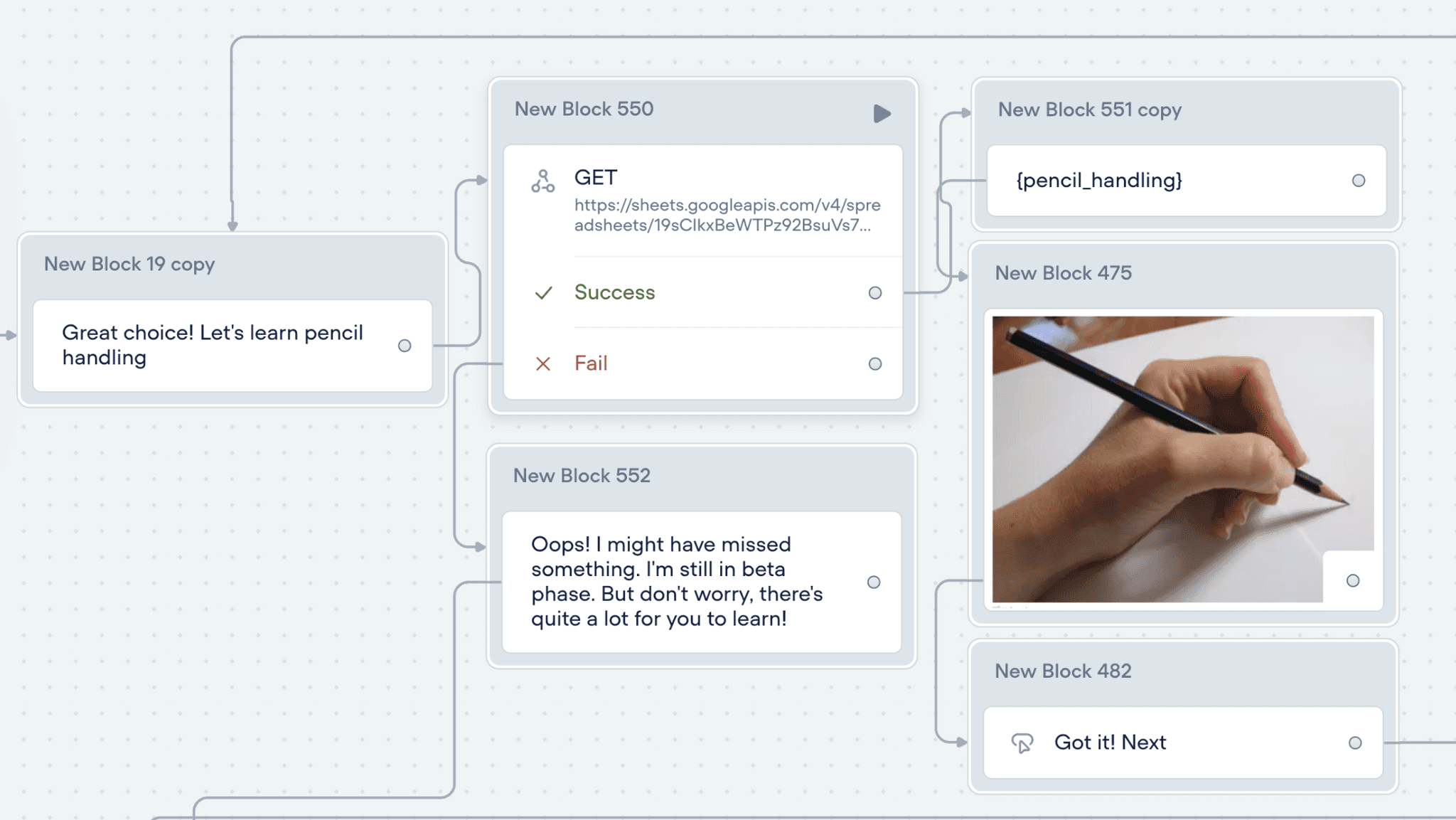
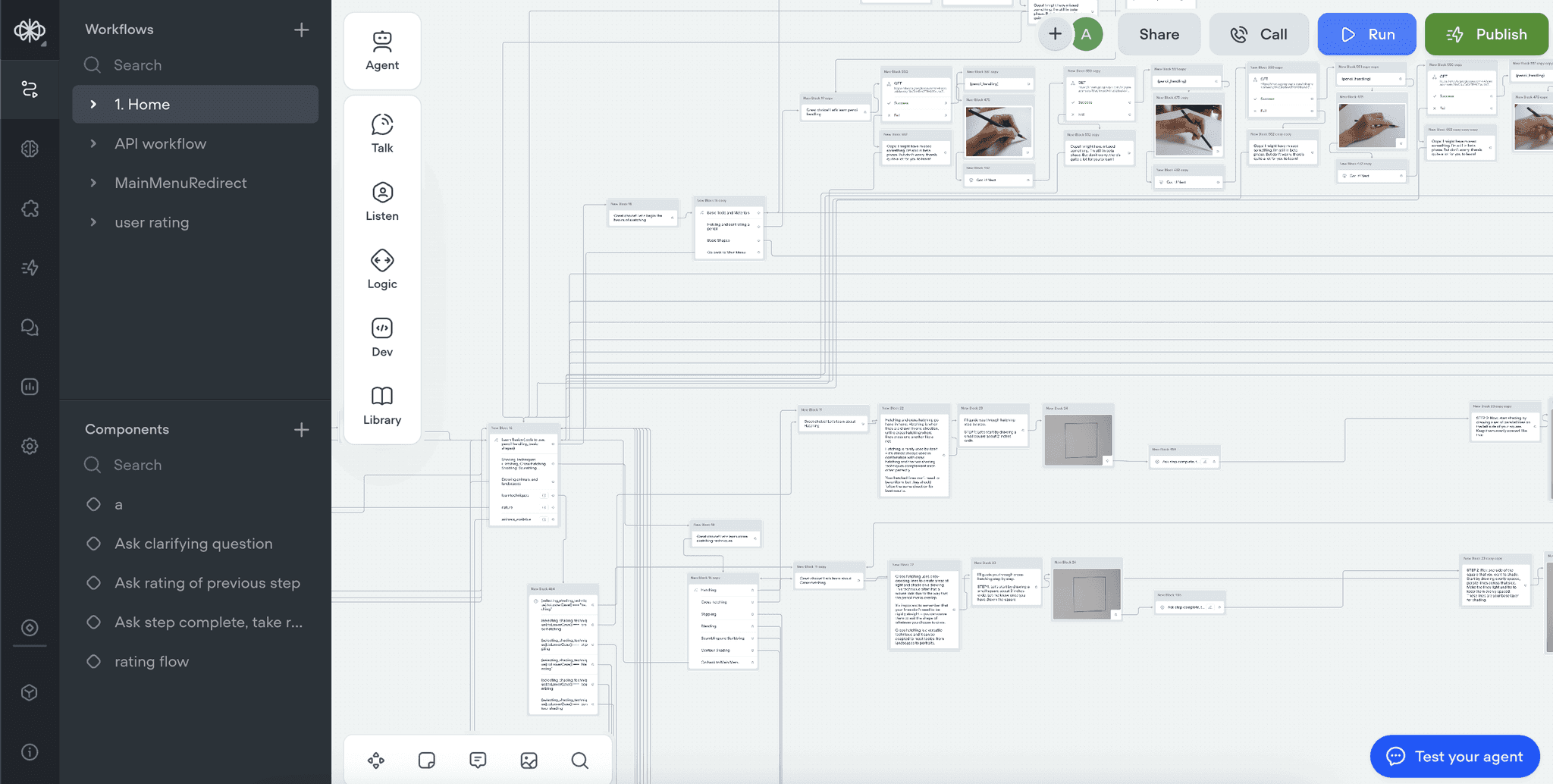
The final conversational system includes:

  • Modular lesson flows for topic-by-topic learning

  • Self-assessment feedback using a 1–5 rating scale

  • Badge unlock logic as users complete each section

  • Direct keyword access from main menu using typed entities

  • Appreciation or improvement tips based on user ratings
How it Works

1. Learn Basics

Build foundational skills essential for any sketcher.

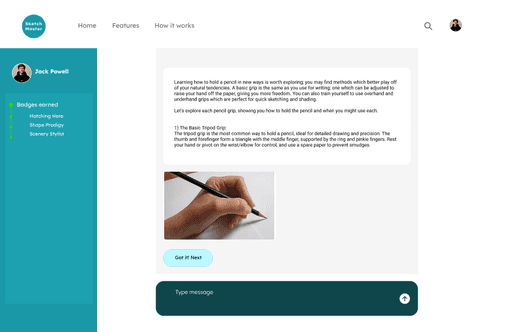
  • Tools to Use: Learn about pencils, erasers, papers

  • Pencil Handling: Grip techniques & pressure control

  • Basic Shapes: Circles, squares, triangles

    - Some lessons use APIs to deliver tool recommendations based on real-time data

Premium UX Template for Framer

1. Learn Basics

Build foundational skills essential for any sketcher.

  • Tools to Use: Learn about pencils, erasers, papers

  • Pencil Handling: Grip techniques & pressure control

  • Basic Shapes: Circles, squares, triangles

    - Some lessons use APIs to deliver tool recommendations based on real-time data

Premium UX Template for Framer

2. Shading Techniques

Explore six shading methods through short, guided flows.

  • Hatching, Cross-hatching, Blending, Stippling, Scumbling, Contour Shading

  • Rating System (1–5):

    • 1–3: Get improvement tips

    • 4–5: Get appreciation messages
      - Users can type any shading name (like “blending”) to jump straight into its flow
      - Entities handle synonyms for smooth navigation (e.g., “mixing” = “blending”)

Premium UX Template for Framer

2. Shading Techniques

Explore six shading methods through short, guided flows.

  • Hatching, Cross-hatching, Blending, Stippling, Scumbling, Contour Shading

  • Rating System (1–5):

    • 1–3: Get improvement tips

    • 4–5: Get appreciation messages
      - Users can type any shading name (like “blending”) to jump straight into its flow
      - Entities handle synonyms for smooth navigation (e.g., “mixing” = “blending”)

Premium UX Template for Framer

3. Drawing Animals & Landscapes

Step-by-step drawing guidance with check-ins every 3 steps.

Animals:

  • Cat, Dog, Cow, Elephant, Tiger, Lion
    - Users can type animal names to access flows directly

Landscapes:

  • Mountains, rivers, houses, trees, etc.
    - Grouped entities allow synonyms like hut/building to fall under “home”
    - Same feedback logic: 1–3 = tips, 4–5 = encouragement

Premium UX Template for Framer

3. Drawing Animals & Landscapes

Step-by-step drawing guidance with check-ins every 3 steps.

Animals:

  • Cat, Dog, Cow, Elephant, Tiger, Lion
    - Users can type animal names to access flows directly

Landscapes:

  • Mountains, rivers, houses, trees, etc.
    - Grouped entities allow synonyms like hut/building to fall under “home”
    -Same feedback logic: 1–3 = tips, 4–5 = encouragement

Premium UX Template for Framer

Key Learnings

Conversational UX requires clarity and pacing

Conversational UX requires clarity and pacing

Designing a learning experience via chatbot taught me the importance of structuring content into digestible, engaging chunks. User pacing and the tone of feedback were critical for keeping learners motivated.

APIs make content scalable and future-ready

APIs make content scalable and future-ready

By connecting Voiceflow to Google Sheets, I could deliver dynamic, editable content without needing to rebuild the flow. This structure makes it easier to maintain and expand SketchMaster in the future.

Entity modeling enhances navigation

Entity modeling enhances navigation

Using grouped entities (e.g., “house,” “hut,” and “building” all mapped to “home”) enabled flexible yet structured user inputs. It taught me how thoughtful metadata improves both discovery and flow logic.

Self-assessment boosts engagement

Adding a simple 1–5 rating mechanism gave users agency and allowed for responsive encouragement or improvement tips. This feedback loop created a more personalized experience.

Final Thoughts

Designing SketchMaster pushed me to blend UX, content strategy, and technical tools like Voiceflow and Google APIs into one seamless experience. It reaffirmed my belief that even simple tools, when thoughtfully designed, can unlock meaningful learning.

This project also strengthened my confidence in using conversation as a UI, and taught me how to build user-centric systems that are scalable, motivating, and intuitive.

I’m excited to explore more voice and chatbot-based interfaces, especially in education and creativity-focused products.

Sketchmaster

a conversational AI chatbot designed to help you learn sketching easily

a conversational AI chatbot designed to help you learn sketching easily

Create a free website with Framer, the website builder loved by startups, designers and agencies.